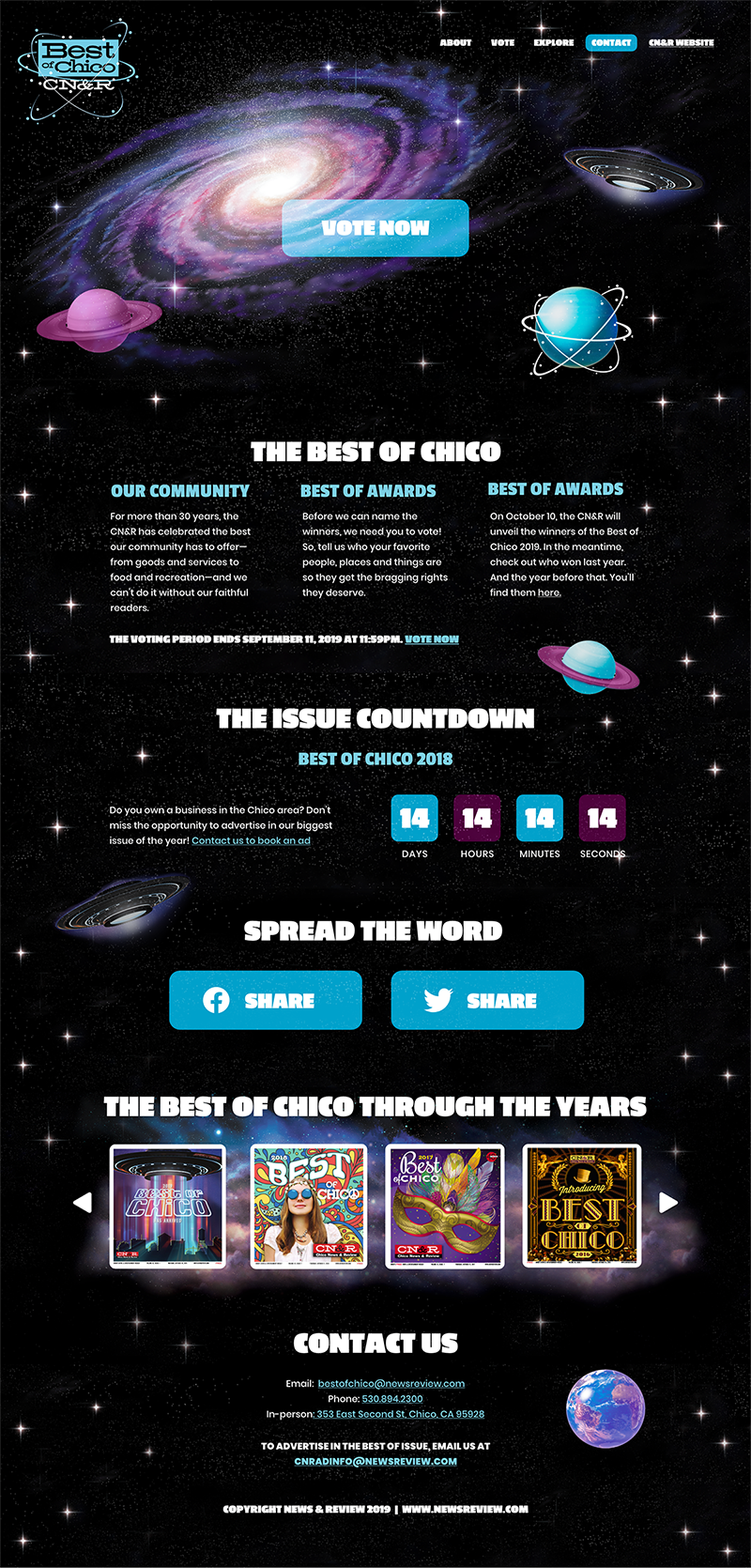

Landing Page 02
Designed a landing page UI template that the client can use for all their contests. Graphic elements and text are easily updated to increase turnaround time to produce and launch these landing pages.

Defining the project
Problem
Client organizes over 8 contests and events per year and spends too much time creating/updating websites with the yearly look and feel, graphics and text.
Client needs
A landing page template for which the UI elements, graphics and text are easily adapted to each contest and events landing page and easily updated for the same contest or event the following year. This means a landing page structure that can be templated and reused for each project while still providing flexibility with the content.
Goals
Increase turnaround time to create and update landing pages and require the least amount of web development possible. Provide users with all the updated information they need about the contest or event and make it easier to address user feedback during updates.
UX research
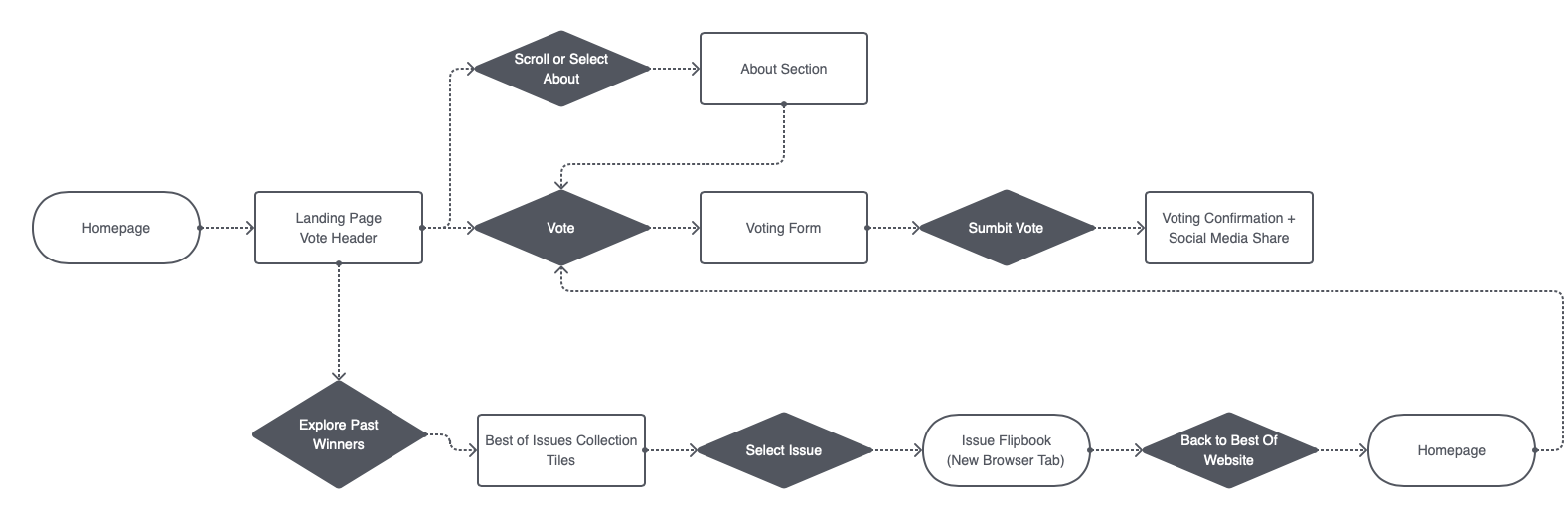
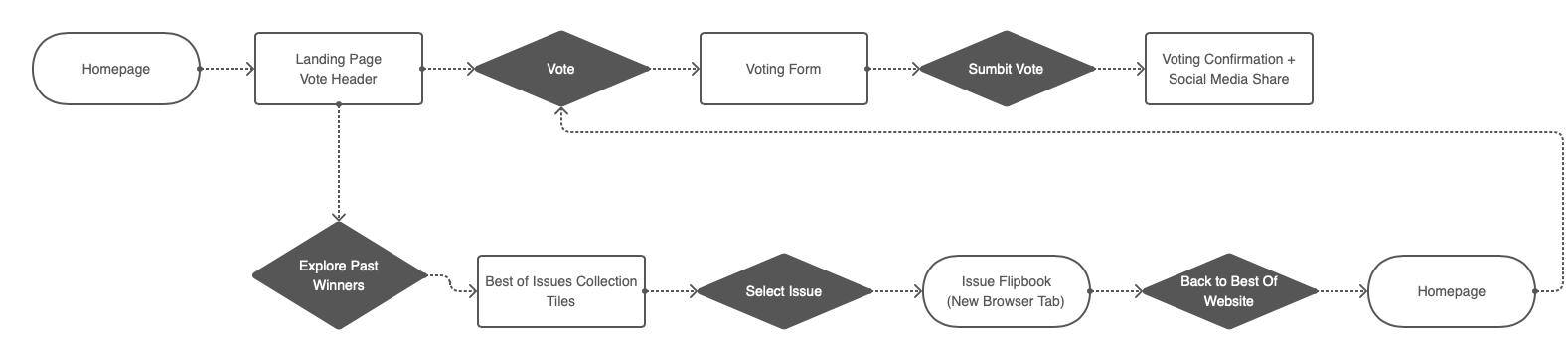
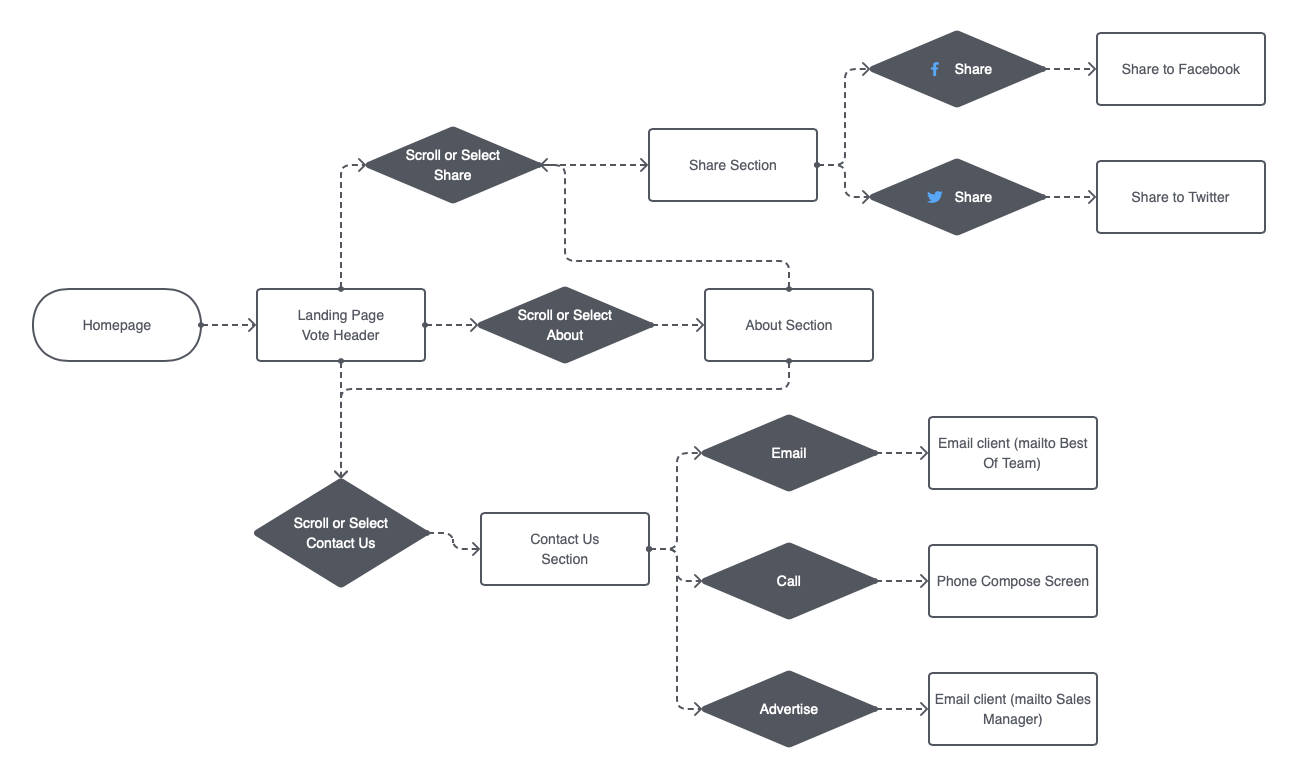
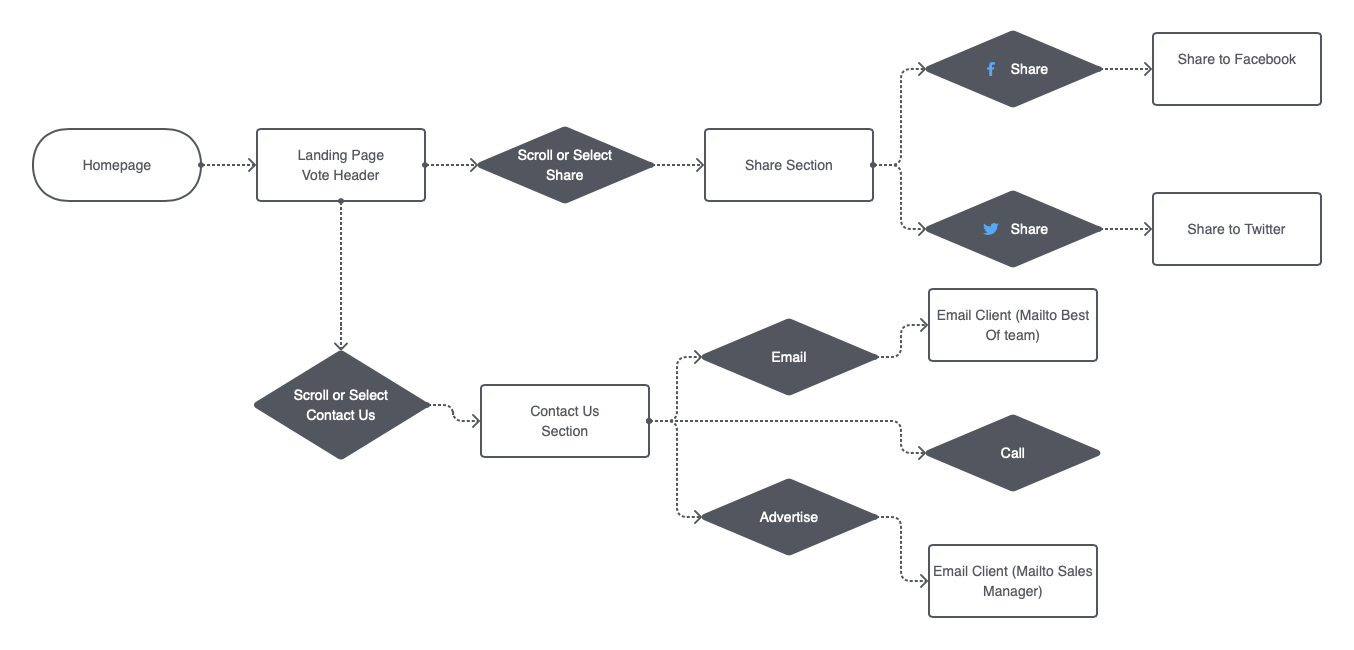
During the discovery phase, we used two UX research methods to identify who the users of of the webpage are and how the design can best meet their need when interacting with the website: user personas and user flows.
01 - User Personas
New Voter
- Goals & Needs: Has been voting the past 5 years. Might want to look at previous winners, but most likely wants to vote and quickly.
- Pain Points: Slow voting process. Not finding vote option easily. Too much information.
- How to Serve: Keep landing page simple with a focus on voting link.
Returning Voter
- Goals & Needs: Heard about the content, but doesn’t what it is. Saw a voting call to action from a partcipating business. Wants to learn about the contest and look a previous winners before voting.
- Pain Points: Not understanding what the contest is and how it works.
- How to Serve: Make it easy to learn about the contest, the winners selection and voting process.
New Business
- Goals & Needs: Learn about the contest and benefits for participating business that win.
- Pain Points: Not understanding what the contest is and why to participate.
- How to Serve: Clearly explain contest rules and what winners business receive as a prize. Easy way to contact organizers for questions.
Returning Business
- Goals & Needs: Share the contest page with customers to get them to vote. Want to contact us to get more details about promotion and advertising.
- Pain Points: Not knowing when contest ends. Not being able to reach us. No clear or easy way to share the contest with their clients.
- How to Serve: Dedicated buttons to share to social media with pre-populated text and official contest graphics. Easy to get in touch with us.
02 - User flows
Prototypes
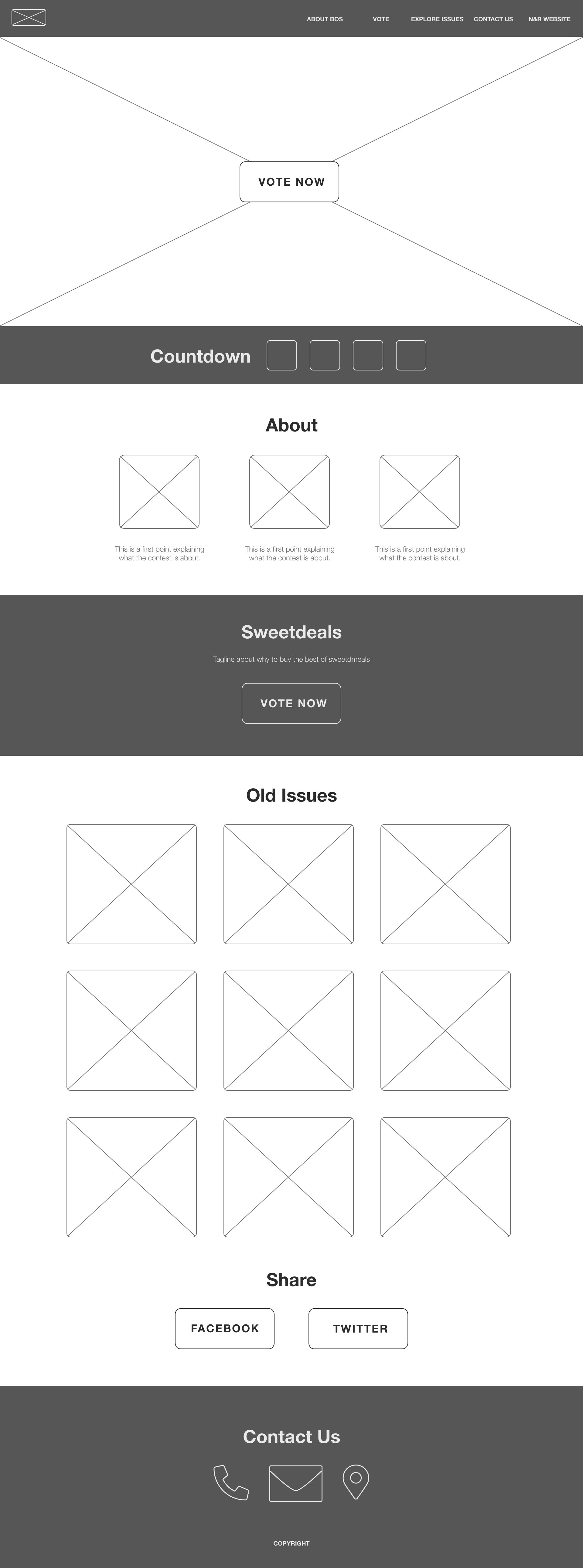
01 - Wireframes


02 - High-Fidelity Prototypes (Desktop)